Business of Making

Complete Pricing & Profit Calculator · a tool for makers

The hour that stops pricing being a guessing game.

Honestly? This is the pricing spreadsheet I wish I'd had when I started in business. It would have changed everything. It was made for makers, by me, a maker, and it doesn't just tell you how to price what you make. It shows you why, and it goes into depth.

It's a decade of what I've learnt about costs, time, fees and sales, built into one spreadsheet that looks at your numbers accurately: every cost of running your business, the wage you deserve and the materials in each piece, turned into prices you can stand behind. You don't need to know the formulas or the maths. It does all of that for you. Nine tabs, filled in with example numbers so you can see it working before you type over them with your own.

$39, usually $49. An Excel file that also works in Google Sheets, with a short PDF guide.
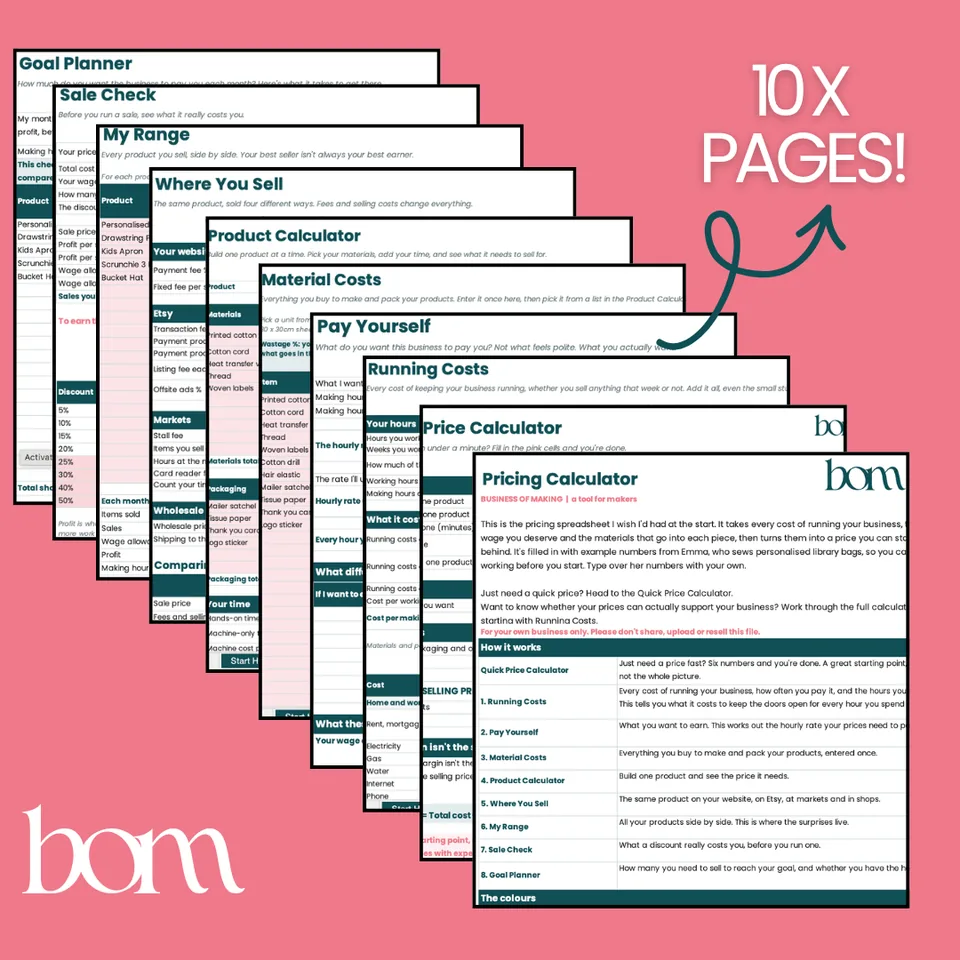
The ten pages of the Complete Pricing and Profit Calculator fanned out

Busy and profitable aren't the same thing.

More sales can mean more work, more stock and more stress without much more money in your pocket, especially if your prices are too low or some products quietly take more time than they're worth. It's so easy to keep making the thing everyone buys without noticing it isn't paying you.

Here's where it usually goes wrong. Packaging gets forgotten, and it lands on every single order. Your time doesn't get counted, and if it takes your time, it costs money. A competitor's price gets copied, with no idea whether they're making anything at all. The boring bills, insurance, the accountant, software, the website, get left out because they're not part of “the product”. Your wage gets paid last, as a bonus for when there's money left over.

Your wage is a cost, just like your fabric or your acrylic. Leave it out and you're not pricing low. You're working for free.

Adding 30% to your costs doesn't give you a 30% profit.

Say your product costs $16 to make, once you count your materials, packaging and your time. Most makers add 30% and call it done.

$16 plus 30% $20.80 Only 23% of that price is profit
$16 divided by 0.70 $22.86 A true 30% profit on every sale

That $2.06 difference feels small on one sale. Over a year of sales, it adds up to real money, and it's money that should be yours. That's one sum, on one product, with the easy costs, and it's the only formula you'll see here. You don't need to know the maths. The calculator does it for you every time, and then keeps going: what it really costs to run your business for every hour you spend making, the hourly rate you actually need, your whole range side by side, what each place you sell leaves you, and what a sale costs you before you run one.

Selling price = Total cost ÷ (1 − Profit margin)

Nine tabs, each doing one job.

Together they tell you what your products need to sell for, and whether your business is actually paying you. Start with Running Costs. Everything else builds on it, and every tab ends with a Next step line so you always know where to go.

  1. 01

    Running Costs

    Every cost of keeping your business going, and the hours you work, turned into what it costs to keep the doors open for every hour you spend making. Usually higher than people expect.

  2. 02

    Pay Yourself

    What you want to earn each month, turned into the hourly rate your prices need to pay you. Not what feels polite. What you actually want.

  3. 03

    Material Costs

    Everything you buy to make and pack your products, entered once, in whatever you buy it in. Wastage built in.

  4. 04

    Product Calculator

    Build one product and see your minimum price, your recommended price, and what you really earn per hour making it. With the check that shows why “times three” so often falls short.

  5. 05

    Where You Sell

    The same product on your website, on Etsy, at markets and wholesale, and what each one really leaves you.

  6. 06

    My Range

    Every product side by side, the underpriced ones flagged, and whether your range is actually reaching your income goal. This is where the surprises live.

  7. 07

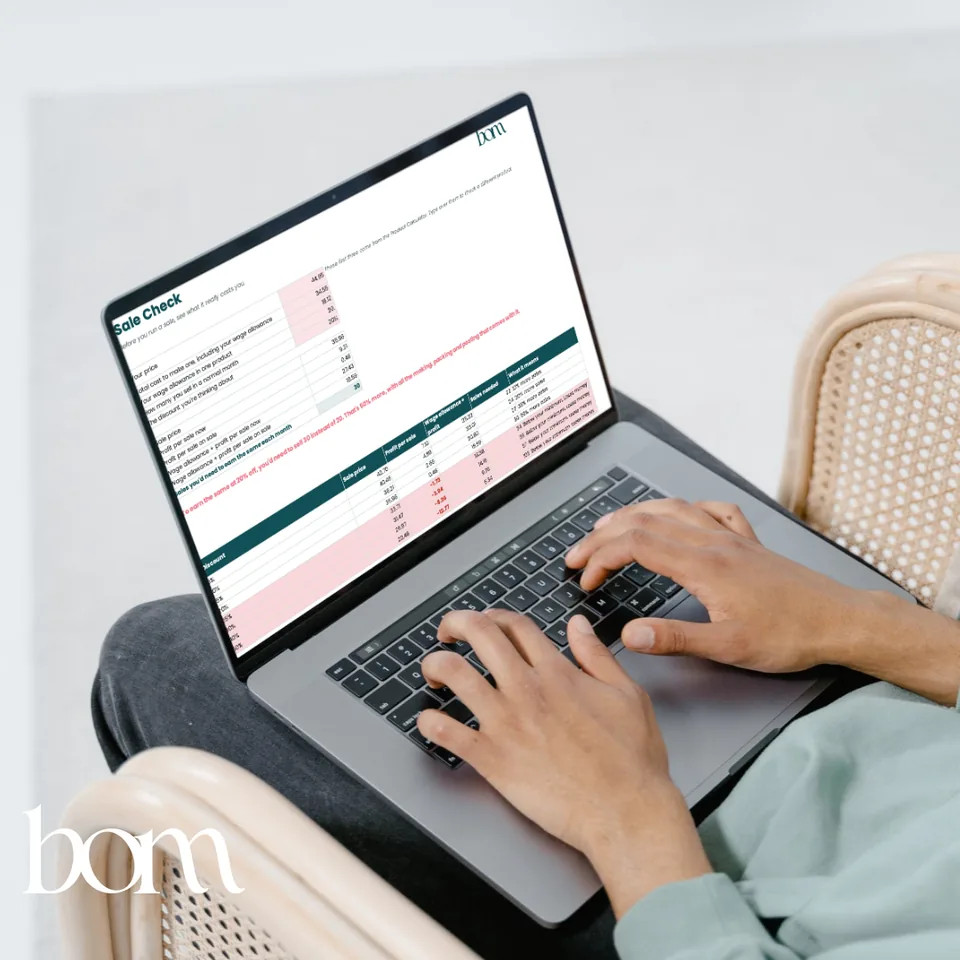
    Sale Check

    What a discount really costs you, and how many more you'd need to sell to earn the same, before you run one.

  8. 08

    Goal Planner

    How many you need to sell each month to reach your goal, and whether you have the making hours to do it.

  9. 09

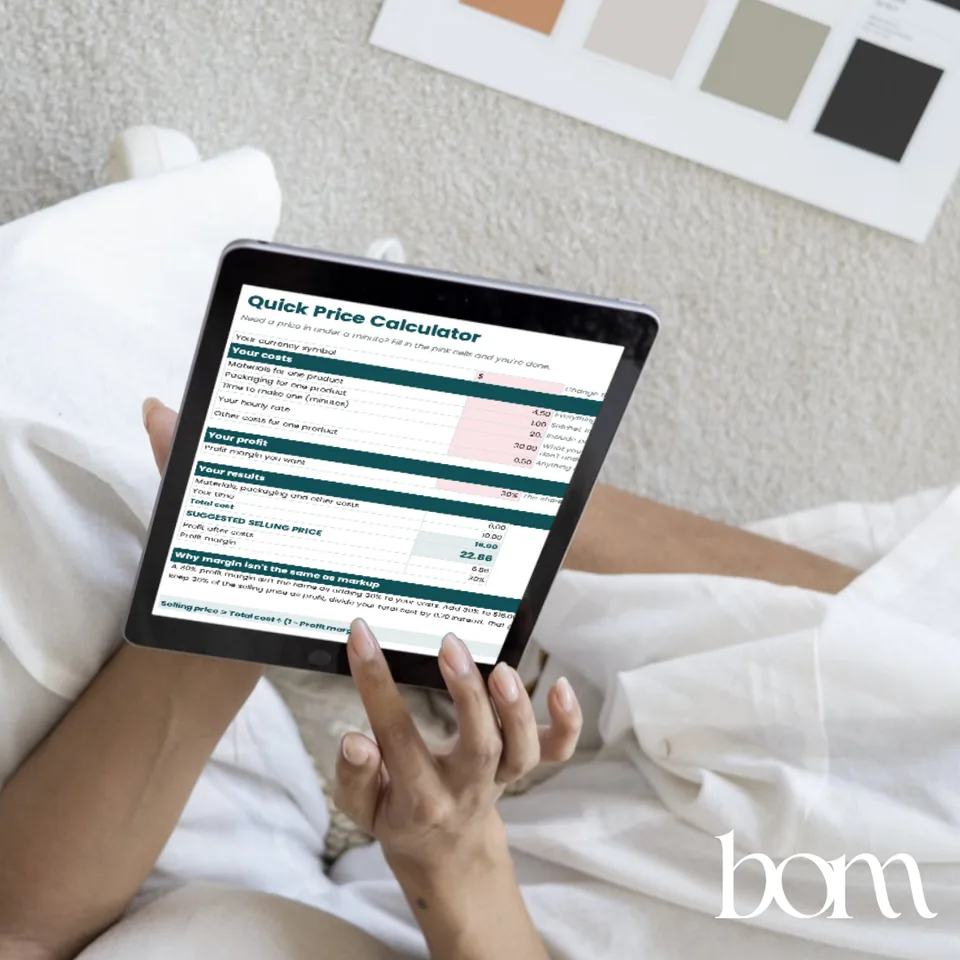
    Quick Price Calculator

    Six numbers and a price in under a minute, for pricing something new on the spot.

Built for a maker, not an accountant.

You don't need to know a single formula or mathematical equation. It does all of that for you. Set aside an hour, grab your bills and your last three months of bank statements, and work through the tabs in order. The forgotten costs hide in there.

A worked example is already in it

Every tab is filled in with a small sewing business that makes library bags, so you can see it working before you add your own. Type over the numbers and it becomes yours.

Pink cells are yours

Teal cells are your answers. White cells do the maths, so you leave them alone and it stays right. You never touch a formula.

Shows you why, not just how

Beside the cells, every tab explains what the number means and why it matters, in plain words, so you understand your prices instead of copying them out. Each tab ends with a next step, so you can't get lost.

Works wherever you are

Set your own currency symbol, your sales tax (GST, VAT or similar) and how you like your prices rounded. Example fees are Australian, and easy to swap for yours.

Tells you what to do about it

When a product comes up underpriced or thin, the sheet doesn't just flag it. It gives you the ways to fix it, from a small price rise to letting a product go.

Honest about what it can't do

It tells you what a product needs to sell for. It can't tell you whether customers will pay it, so you test your prices in the real world. It isn't financial advice, and it says so.

have a think

  • Do you know what it costs to run your business for one hour, before you've made anything?
  • Which of your products earns you the most for your time? Which earns you the least?
  • If you ran 20% off next month, how many more would you need to sell to earn the same?

If you had to guess at any of those, that's the hour this is for.

What you'll know an hour from now.

In the worked example, the gift sets earned the most for the maker's time and the pouches the least, once everything was counted properly. So before buying more equipment, she nudged the pouch price up a little and made more gift sets. Same hours, more profit. That's the whole point of the hour.

Your best seller isn't always your best earner.

A decade of pricing, in one spreadsheet.

Complete Pricing & Profit Calculator

A tool for makers

$39RRP $49

  • The spreadsheet: a Start Here tab and nine working tabs, from Running Costs to Goal Planner
  • Filled in with a worked example, so you see it working before you type over it
  • Your currency, sales tax and price rounding, so it works wherever you are
  • Works in Excel and Google Sheets. Opens in Numbers, but it's happiest in Excel or Sheets
  • A short PDF guide: opening it, what to have ready, the tabs one by one, and your licence
  • Delivered straight after checkout, yours to keep and reuse

One underpriced product found pays for it.

Already have the free Quick Price Calculator? Your 20% off code is inside it. Licensed for your own business. Checkout happens on the Business of Making store, in Australian dollars.

The Sale Check tab open on a laptop

A decade of other people's businesses, then two of my own.

Bec, with her youngest on her hip Bec Macedon Ranges, Australia Read my story

I'm Bec. For more than ten years I've worked on the business side of other people's businesses, from florists and builders to countless online stores, through my graphic design and digital agency, and I've been a Shopify Partner for nearly as long. Design, websites, marketing, ecommerce, and the numbers underneath all of it. That's where most of what's in this spreadsheet was learnt.

Then I did it myself. I built Laser Blanks from one $10,000 hobby laser into Australia's largest craft blanks supplier, and Tom and I still run Happy Print Hub today. Across our maker businesses we've done around 100,000 orders, and every one of them needed a price that covered the materials, the time, the boring bills and the people doing the work. Growing to six industrial lasers and a team taught me this more than anything: growth should come from your numbers, not just your busyness.

Thank you so much for supporting me. I know how much time, energy and heart goes into building a business of your own, and I hope this makes one part of it that bit easier.

It isn't the most exciting hour you'll spend on your business, but it's the one that stops pricing being a guessing game.

Questions you might have.

Do I need Excel?

Excel is easiest: double-click the file and you're in. It works in Google Sheets too. Go to drive.google.com, click New, then File upload, choose the file and open it with Sheets. Mac Numbers will open it, but it works best in Excel or Sheets. It's much easier on a computer than a phone, so save it for when you're at your desk.

How is it different from the free Quick Price Calculator?

The free one is six numbers and a price: a great starting point, not the whole picture. It leaves out your running costs, your selling fees, your non-making hours, wastage and tax. This one counts all of that, across your whole range, and keeps counting as your costs change.

I'm not in Australia. Will it work for me?

Yes. Set your own currency symbol and your sales tax rate in the settings. The example fees are Australian and they change, so check your own rates in Where You Sell.

I'm not a spreadsheet person.

You don't need to be. You only ever type in the pink cells, and the sheet tells you where to go next on every tab. If you can fill in a form, you can do this.

Do I need From Hobby to Business as well?

No. The guide teaches the pricing method and walks it through on paper. This does the sums for you, across your whole range, and keeps doing them as your costs change. They work well together, and each stands on its own.

Is it financial advice?

No. It's a tool to help you think it through. The numbers in it are examples, and fees change, so check your own. For what you can actually pay yourself, and anything to do with tax, your accountant is the right person to ask.

You've done the work most makers never do.

That's the last line in the sheet, and an hour from now it can be true of you. Pick an evening this week, grab your bills and your bank statements, and start with Running Costs. Then come back whenever your costs change, you add a product, or a supplier puts their prices up.

Knowing, even when the news isn't great, is so much lighter than wondering.

Bec x

Free · join the list

Get the free price calculator, and everything that comes next.

Pop your email in and I'll send you the Quick Price Calculator: six numbers and a price in under a minute. This is just the start. I'm building more for makers all the time, new freebies, mini courses and guides, and the list hears about every one of them first.

  • The free Quick Price Calculator, with 20% off the Complete Pricing & Profit Calculator inside
  • Every new freebie, mini course and guide, sent to you first as it's released
  • The occasional note from me, and never any spam. Unsubscribe any time.